FreeHealing & clone

Heal spots, dust and blemishes away

Brush over a spot and it’s gone: the Spot Healing Brush, Healing Brush and Clone Stamp work just like the ones you know from Photoshop. Free, unlimited, and your photos never leave your device.

Drop your photo hereIt opens in the editor. Nothing is uploaded. Choose a photoJPGPNGWebPHEICPSDRAW

No photo? Try ours Shortcut J heal · S clone

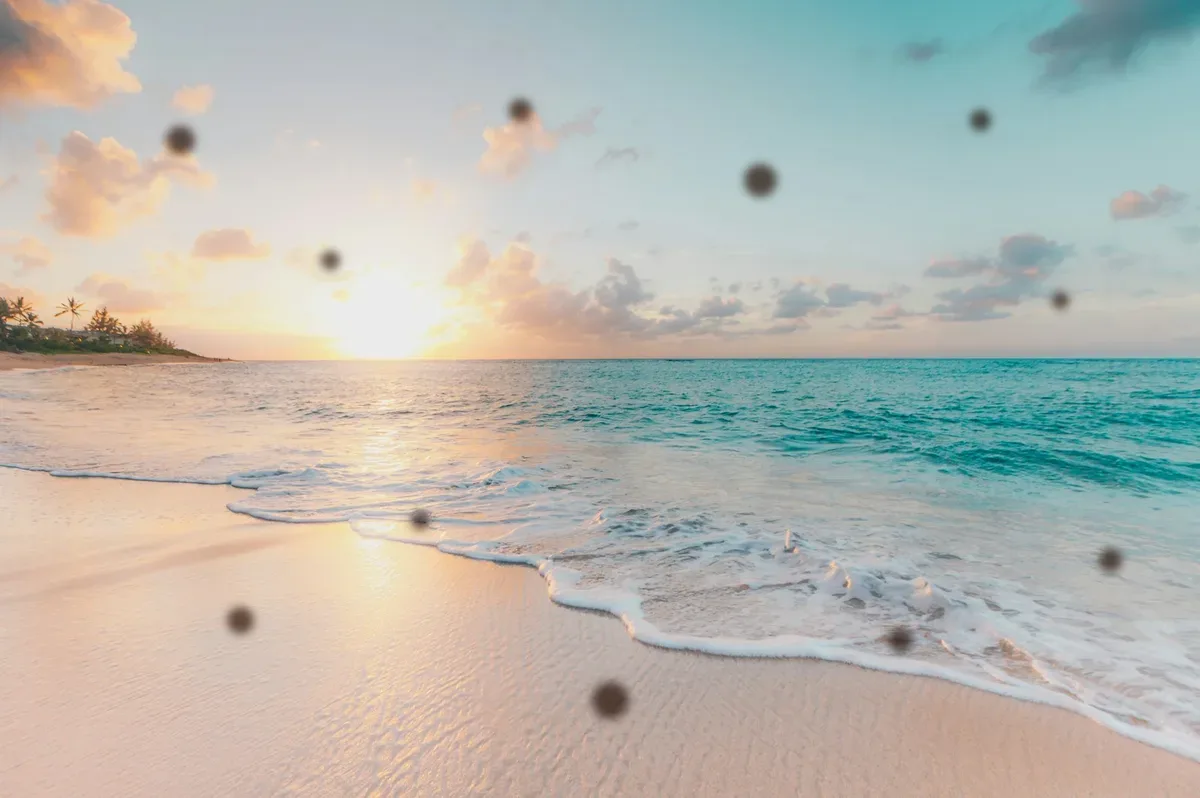
A beach at sunset with dust spots on the photoSpot Healing Brush · J11 spots left
Every spot the brush touches heals from the sand around it.
Live demo01 / 05

01Three brushes

Pick the brush for the flaw

All three live in the toolbar’s retouch group, with size, hardness and pen pressure. Healing and cloning share one source point, just like Photoshop.

  • Spot Healing Brush

    J

    No source. Paint over the spot and it fills from the area around it.

    Best for: Dust, spots, small blemishes

  • Healing Brush

    J

    Alt-click a clean patch, then paint. Its texture blends into the colours around the flaw.

    Best for: Skin, wrinkles, textured surfaces

  • Clone Stamp

    S

    Alt-click a source, then paint to copy those pixels exactly. Aligned keeps the offset.

    Best for: Repeating patterns, hard edges

03How it works

Three steps. Seconds.

  1. 01Open a photoAny JPEG, PNG, WebP, HEIC (in Safari), PSD or Camera RAW file.
  2. 02Pick a retouch toolPress J for the Spot Healing Brush or Healing Brush, S for the Clone Stamp. Alt-click a clean area to set a source.
  3. 03Paint over the flawSpots, dust and marks blend into their surroundings. Undo any stroke you dislike, then save your project.

04Why CutLift

Built to be the best one

  • Spot Healing BrushNo source needed: paint over dust, spots and small blemishes and they fill from the area around them.
  • Healing BrushAlt-click a clean patch; its texture is copied and blended into the colours around the flaw.
  • Clone StampCopy pixels exactly from one place to another, with Aligned, Opacity, Flow and pen pressure.
  • PrivateRetouching runs on your device. Your photos are never uploaded.

Free and unlimited. CutLift Pro adds batch processing, upscaling, sky replacement and studio exports for $7.99/month.

05The guide

Retouching that doesn’t show

Pick the tool by the flaw

Small, separate marks such as sensor dust, a blemish or a fleck of lint are jobs for the Spot Healing Brush: size the brush just larger than the spot and click or dab. Scratches across an old scanned print, a crease or a stray hair over skin suit the Healing Brush, because you choose where the replacement texture comes from. Repeating patterns and anything that must match exactly, such as brickwork or a fence line, are for the Clone Stamp.

Anything bigger, like a bin, a sign or a person in the background, is quicker with Remove object, in the same J group.


Brush settings that matter

[ and ] change the brush size, and Shift+[ and Shift+] change the hardness. A soft brush hides the join on skin and sky; a harder one keeps detail crisp along an edge. The Clone Stamp adds Opacity and Flow, so a repair can be built up in light passes.

Aligned decides whether the source moves with you: on, it travels with every stroke, which suits long scratches; off, each stroke starts again from the same source point. Sample chooses whether to copy from the Photo or the Photo with edits, and Pen pressure can drive size, opacity or both on a tablet.

Skin retouch, gently

For a natural skin retouch, remove the temporary things, such as spots, small marks and stray hairs, and leave the skin’s texture alone. Work at 100% zoom with short strokes, and take the source from skin lit the same way so the tone matches. Use Compare before / after now and then; if a cheek starts to look plastic, undo a few strokes rather than painting over them.

Free, private photo retouching online

To remove dust spots from a landscape or scratches from a scan, all four tools, the Spot Healing Brush, Healing Brush, Clone Stamp and Remove object, are on the free plan. They work on JPEG, PNG, WebP, PSD and Camera RAW files. Retouching runs on your device, so portraits and client work are never uploaded. Save a project to come back later, or a Photoshop (PSD) file.

06Questions

Good to know

Is the healing brush free?

Yes. The Spot Healing Brush, Healing Brush and Clone Stamp are all on the free plan.

Heal spots, dust and blemishes away

Free to start. Your photo never leaves your device.

Open the editor

49 more tools

Keep going
























