FreeObject remover

Remove anything from a photo

Paint over a person, a sign, a wire or a stain and CutLift fills the space so it looks like it was never there. Free, unlimited, and your photos never leave your device.

Drop your photo hereIt opens in the editor. Nothing is uploaded. Choose a photoJPGPNGWebPHEICPSDRAW

No photo? Try ours

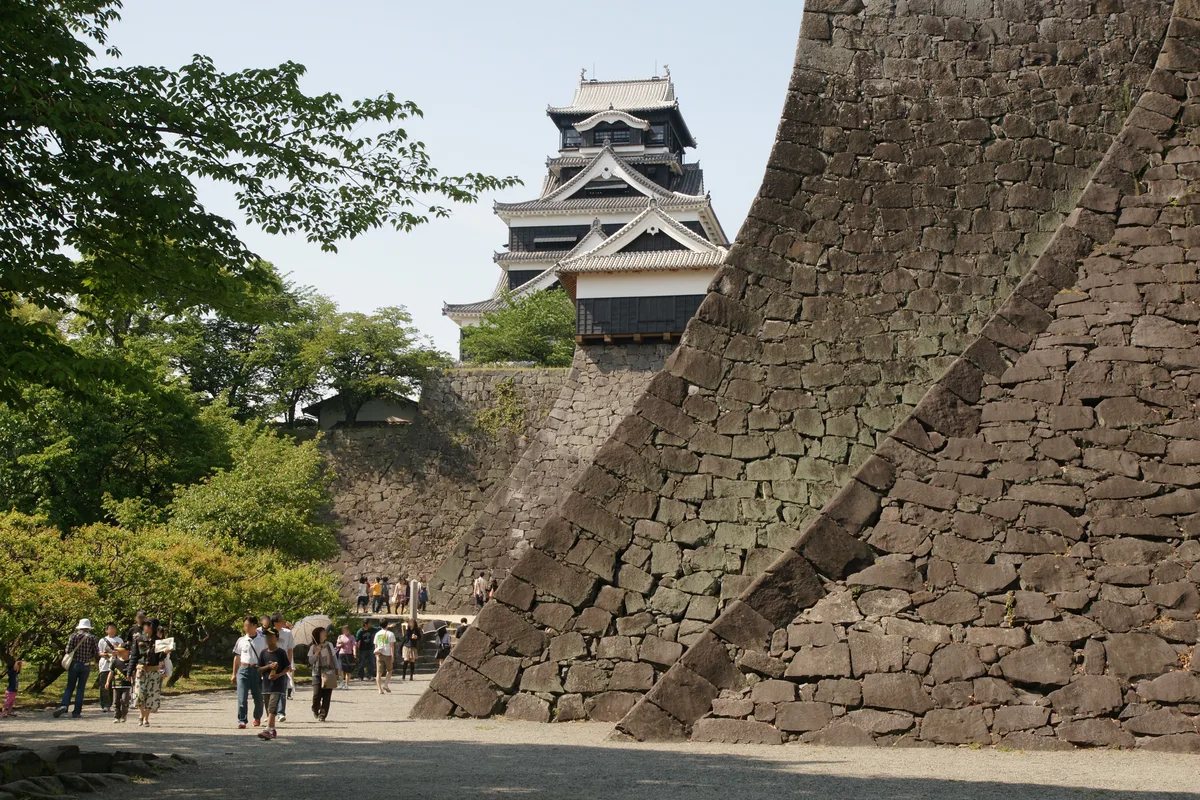
Kumamoto Castle with a crowd of tourists in front, before they are erased
The path, trees and castle wall are rebuilt from the rest of the photo.

Photo: 663highland, CC BY 2.5; people removed by Theosch, CC BY-SA 3.0.

Live demo01 / 03

01Gone without a trace

People, clutter, cables. Gone.

Each card shows the finished photo, then what was there before the brush went over it.

Live demo01 / 03

03How it works

Three steps. Seconds.

  1. 01Open a photoAny photo from your phone or camera.
  2. 02Paint over what should goCover it with the brush, shadows included. Shift-paint several things at once.
  3. 03Let goThe area fills with matching background as soon as you let go. For several strokes, press Shift + Enter to fill them all at once.

04Why CutLift

Built to be the best one

  • People, text, objectsTourists, power lines, logos, date stamps, clutter: paint and remove.
  • Healing and clone stampTouch up skin and small marks with the healing brush, or copy detail by hand with the clone stamp.
  • Generative fillFill a selection with new content when the background is complex (Pro). Needs a recent browser with a graphics card.
  • No uploadYour photo stays on your device the whole time.

Free and unlimited. CutLift Pro adds batch processing, upscaling, sky replacement and studio exports for $7.99/month.

05The guide

Remove objects, step by step

What you can erase from a photo

People use an object remover to clean up holiday shots full of tourists, take a bin or parked car out of a street scene, remove power lines from a sky, or delete a date stamp, a caption or a logo on a T-shirt. Product sellers use it to clear dust, scratches and stray props. CutLift gives you several ways to do it, all free.


Choosing the right removal tool

Remove Object (shortcut J) is the photo eraser for larger things. Paint over the object, include its shadow and reflection, then press Enter. The gap is filled from the surrounding background. Hold Shift to paint several unwanted objects before filling them in one go.

The Spot Healing Brush is for small marks such as dust, spots and blemishes, with no source needed. The Healing Brush copies texture from a clean area you Alt-click and blends it into the colours around the flaw. The Clone Stamp (S) copies pixels exactly, which is best for repeating patterns like brickwork, tiles or a fence.

For a large gap in a busy scene, Generative fill (Pro) in the Edit menu creates new content for a selection, and you can describe what should appear there.

Tips for a natural result

Paint a little wider than the object so no outline is left behind. Remove big things first, then tidy small leftovers with the healing brush. If a fill repeats a pattern you do not want, undo and paint a slightly different area, or fix the repeat with the clone stamp. Working in a few small passes usually looks better than one huge one.

Objects that touch the edge of the frame or sit on a plain wall, grass or sky are the easiest to remove. A person standing in front of detailed architecture may need a second pass with the Clone Stamp to rebuild straight lines.

Private cleanup, no upload

Like a magic eraser on a phone, but in the browser on any device: the whole inpainting process runs on your own device, so photos of family, homes and documents are never sent anywhere. Removing people from photos, cleaning up pictures and removing text from an image are free, with no credits and no watermark.

06Questions

Good to know

Is the object remover free?

Yes. Remove object, the healing brush and the clone stamp are all free.

Remove anything from a photo

Free to start. Your photo never leaves your device.

Open the editor

49 more tools

Keep going
























